


I run several businesses. As of today, ALL of them now have employees I’ve never met, never paid, and never had to fire.
They don’t show up late. They don’t need health insurance. And they’re already working on projects like MirrorMemory.ai while I’m personally thinking and writing this.
Their names are in an org chart. They have job titles, budgets, and standing orders. When they finish a task, it shows up in an inbox waiting for my review.
That’s Paperclip.
I’ve spent the last year knee-deep in AI workflows. This year deep in the Agenitic AI wormhole. For months, I was a die-hard advocate for OpenClaw. I still think it’s one of the best tools out there for deep, agentic projects. But as I moved from “experimental tinkerer” to “business owner scaling operations,” I hit a wall.
The problem wasn’t capability. It was structure.

The Bottleneck Nobody Talks About
Most people using AI tools hit the same invisible wall.
You open a chat. You ask something. You get an answer. You close the tab and move on. Repeat 40 times a day. You feel productive, but nothing compounds. You’re running on a treadmill — faster than before, but still a treadmill.
The real bottleneck isn’t what AI can do. It’s how much you can delegate at once — and how fast you can review what comes back.
When I first started using Paperclip seriously, I made the classic micromanager mistake: I’d assign a task to one agent, then sit there watching it work, waiting to give the next task. Within minutes, agent one was done and waiting for me. I’d been spending the whole time watching it instead of loading up the queue.
The agents work fast. Faster than most people expect. The new constraint is you.
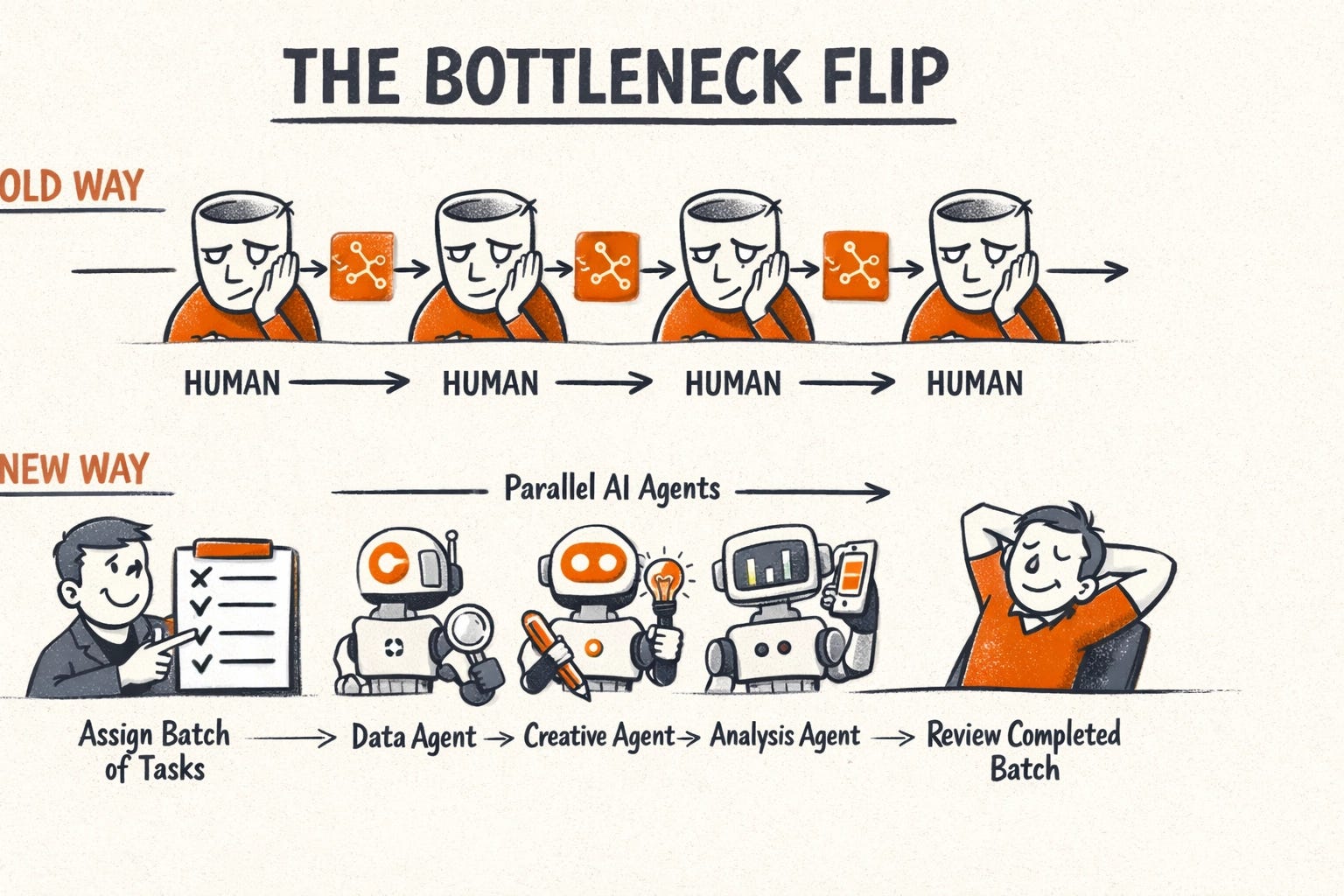
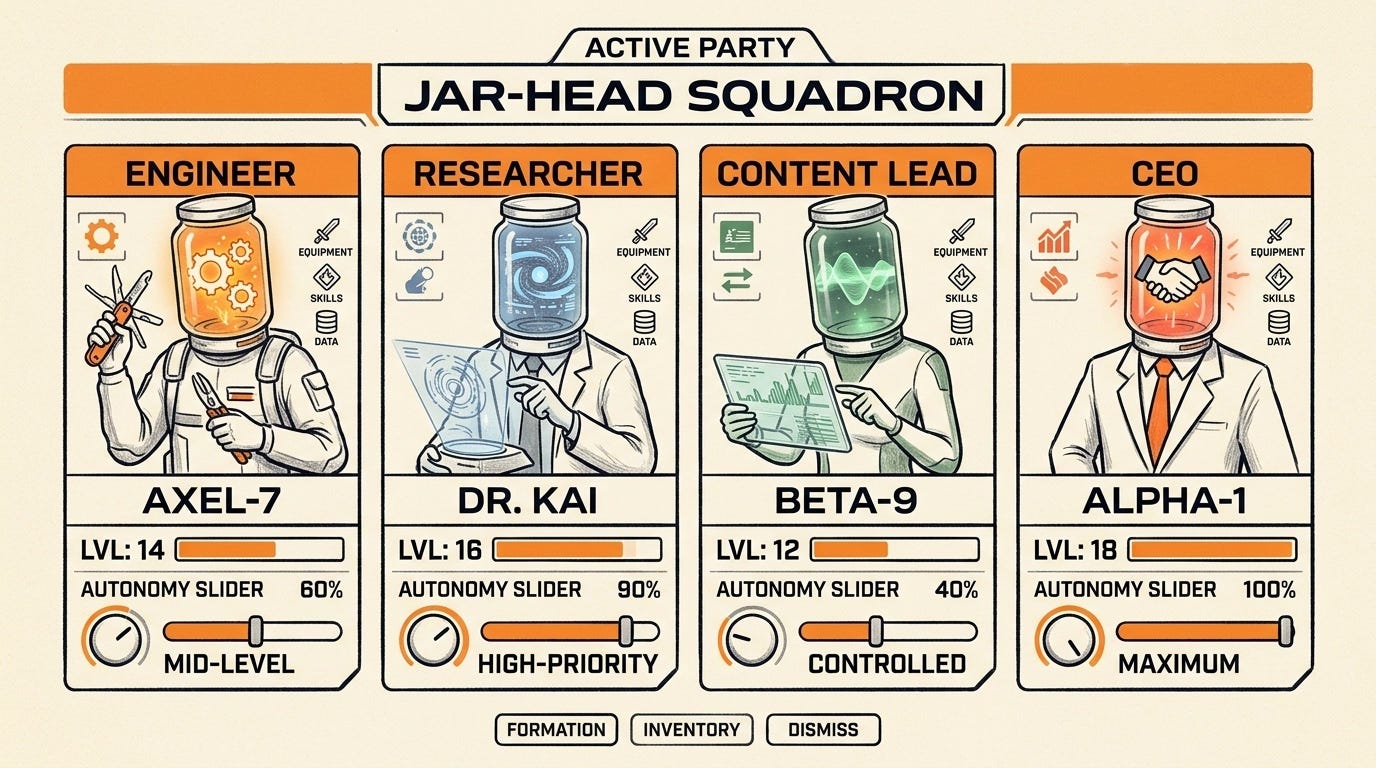
I started thinking about it like an RPG. You’re the player. Your agents are your party. The goal isn’t to micromanage each character — it’s to level them up, equip them well, and then let them fight. Your job is to batch the assignments, batch the reviews, and stay out of the way in between. If you’re still “chatting,” you’re losing.
Why the Org Chart Changes Everything
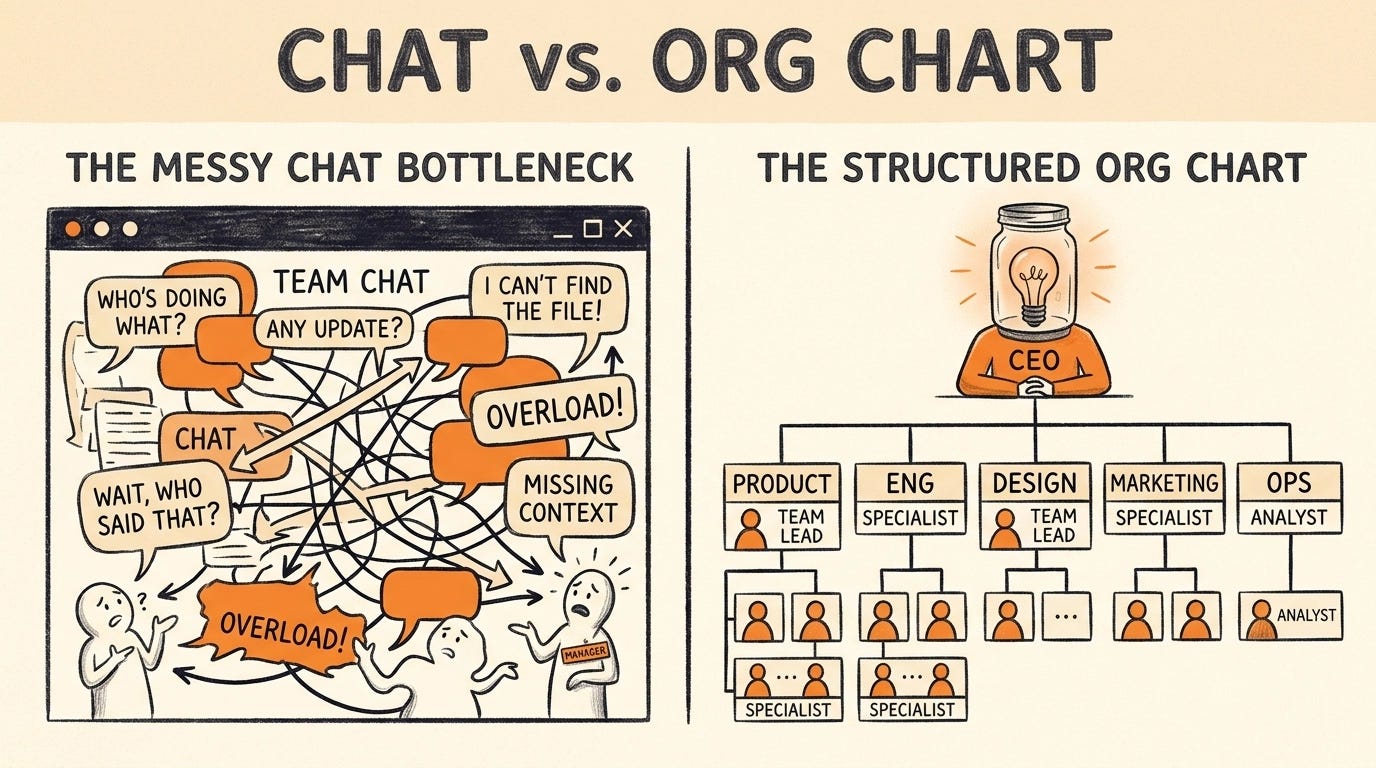
Here’s what clicked for me: no one agent can be an expert at everything.
OpenClaw is incredible at what it does — deep, technical work. But if I’m also trying to do content, research, marketing, and ops for three different projects, I’m constantly asking one tool to context-switch across wildly different domains.
The org chart metaphor in Paperclip forced me to think differently. Instead of “what do I want AI to do right now,” I started asking “what role does this business actually need?”
A researcher who stays in research mode.
A developer who stays in developer mode.
A marketer who knows the product and nothing else has to distract it.
Each agent has a job description. A scope. A budget. Clear success metrics.
That’s not a prompt. That’s a hire. It enables a level of managed agents for small business that was previously out of reach for solo founders.
The “Slop In” Problem
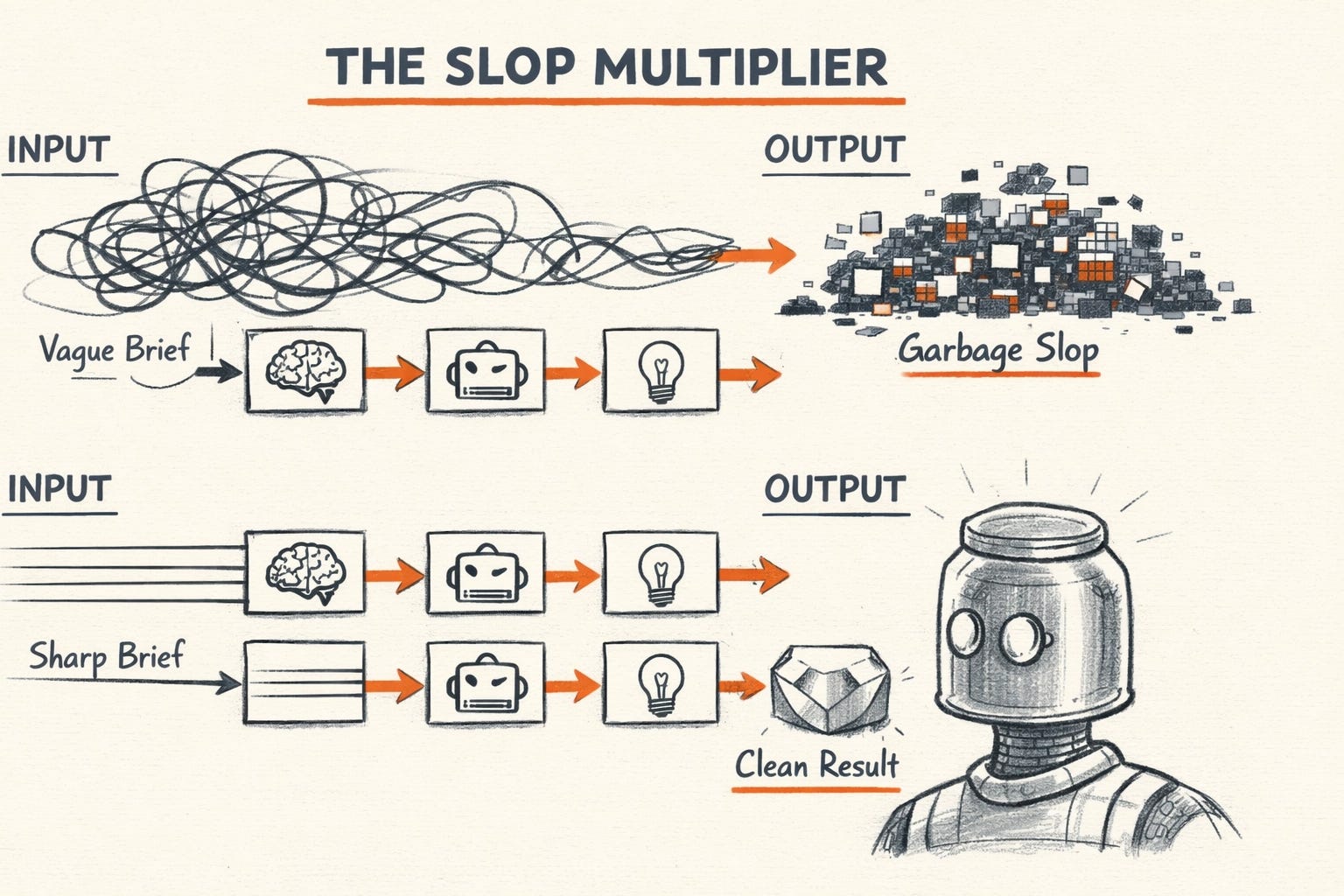
Here’s the thing nobody warns you about: Paperclip amplifies your thinking — good and bad.
If you write a vague job description, you get a vague agent. If you assign a task without clear context and success criteria, you get mediocre output at scale.
The mental model I use now: treat every task assignment like a project brief.
Include the goal. Include the audience or customer. Include the format you want. Include what “done” looks like — metrics, KPIs, specific outputs. Include what to do next after completion.
Slop in doesn’t just create slop out. In a multi-agent system, slop multiplies. One bad brief can poison a whole workflow chain.
The flip side: a great brief unlocks output you couldn’t get from a single chatbot conversation no matter how many times you iterated on the prompt. You’re not prompting anymore. You’re managing.
Who Should Actually Use This
Paperclip is not for everyone — yet.
If you don’t have a clear goal for what you want your AI “company” to accomplish, stop here. Come back when you do. The tool will amplify whatever direction you point it in. Blurry direction = blurry output.
If you need instant ROI and can’t sit with a learning curve, this isn’t your tool either. The first few iterations are about figuring out what your agents need — tweaking job descriptions, refining tasks, watching what breaks. Think of it like onboarding a new hire. The first two weeks are always slower than doing it yourself.
You don’t need to be technical to use Paperclip. But you do need to think like a project manager. Clear scope. Measurable outcomes. Structured handoffs.
If you can think that way — you’re ready.
Your Day 0 Playbook
Before you touch the Paperclip UI, do this:
Step 1: Plan the org with Perplexity.
Open Perplexity and describe your project. Ask it to help you identify every role you’d need to hire for, every function the company needs, every skill gap you have. You’re trying to think about all the things you don’t know to think about.
Use that conversation to sketch a rough org chart before you ever open Paperclip.
Step 2: Set up your CEO agent properly.
Your CEO is the foundation. If you configure it wrong, everything downstream breaks. I put together a structured interview prompt you can drop directly into Perplexity Deep Research (or any capable model) to do this right.
Copy the full CEO Agent Setup Interview Prompt in the paid section below. It’ll interview you one question at a time — company basics, strategy, constraints, org design, governance — and output a clean JSON config you can use to set up your Paperclip CEO agent.
The prompt covers everything: autonomy level, what the CEO should never do, which decisions require your approval, reporting cadence, planned roles. It’s the pre-work that makes setup 10x faster.
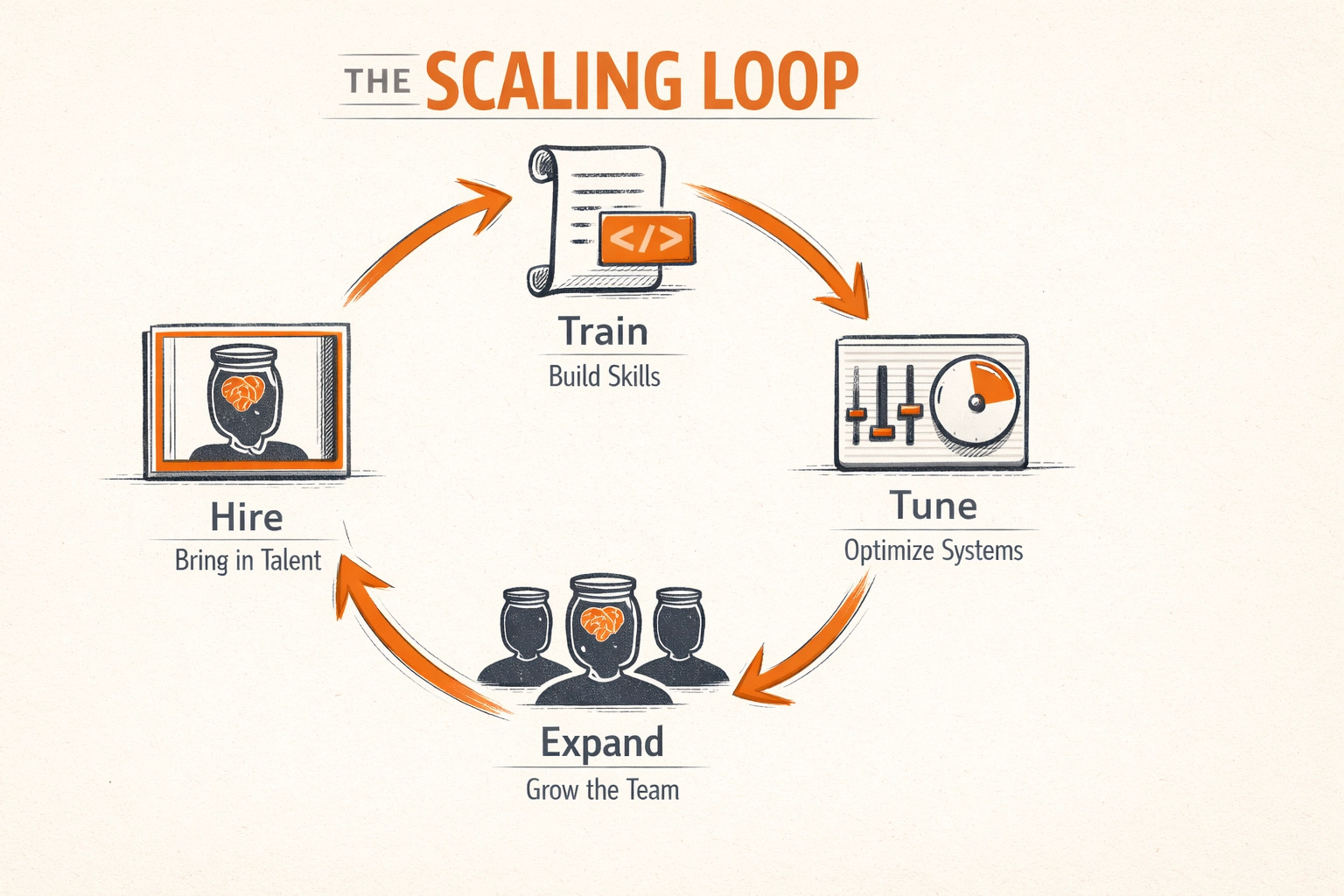
Step 3: Hire one agent. Just one.
Don’t build the full org on day one. Get the CEO working well. Then add specialist roles one at a time.
Step 4: Train it properly.
Write a real job description. Give it context about the company, the goal, the customer. Define what success looks like. Assign it a first task and watch what comes back.
Step 5: Tune and refine.
Iterate on the brief, the task format, the model. Do this until the output consistently clears your bar.
Step 6: Then hire the next agent.
One at a time. Each new hire inherits the quality standards you’ve established. The team compounds.
Subscribe to Artificially Intimidating to unlock the full technical breakdown — including the cut and paste CEO setup prompt, my Z.ai integration that slashes API costs, and my exact job description template.

CEO Agent Setup Interview Prompt (Copy & Paste Into Perplexity)
This is the literal real prompt I’ve toiled over and modified countless times. Now I use it to configure every new CEO agent. Drop it into Perplexity Deep Research (or your LLM of choice), answer the questions one at a time, and it’ll output a JSON config you can paste directly into Paperclip.
Remember: Slop in equals slop out. Taking time to do this properly will be the closest you get to a real life silver bullet.
