

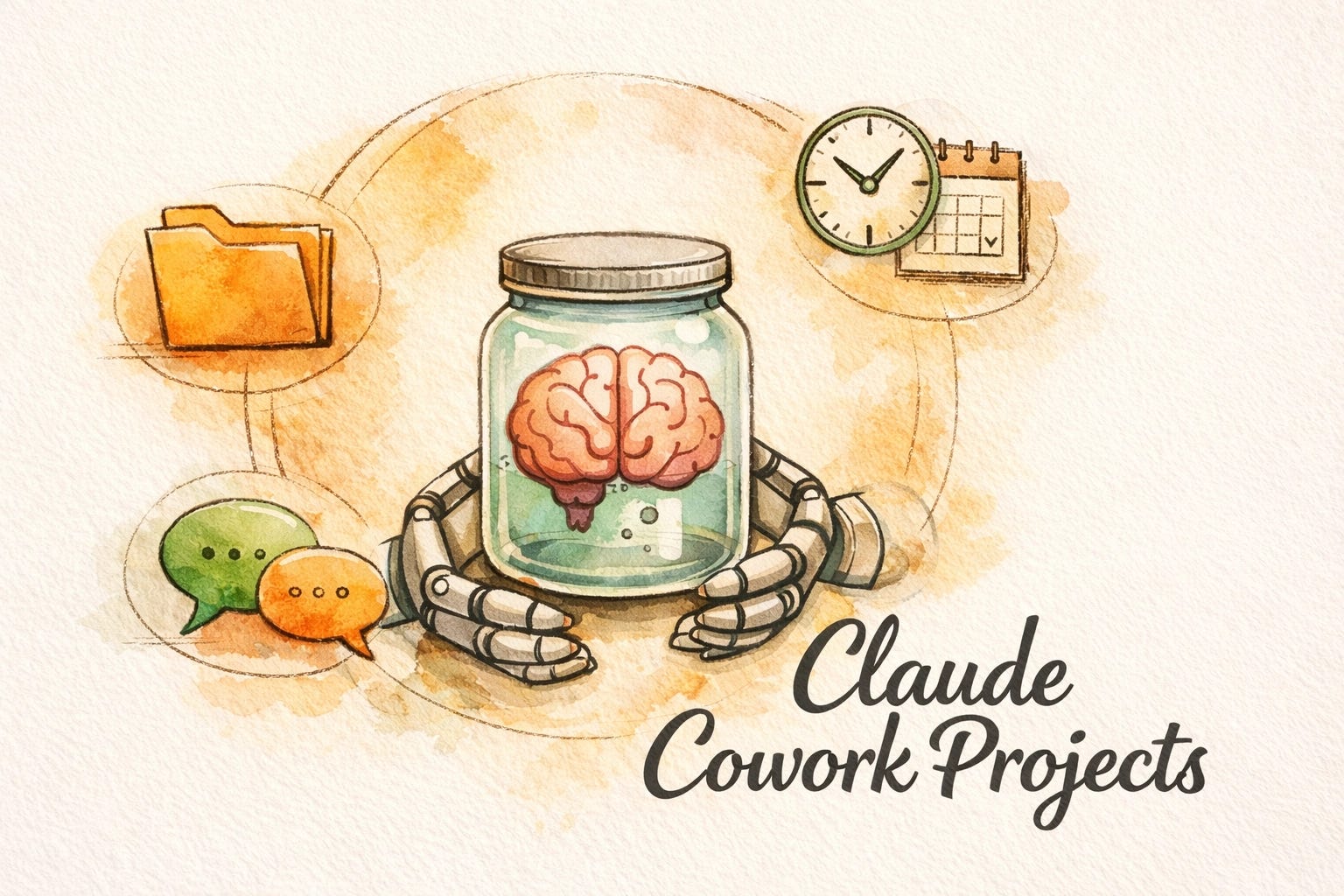
Yesterday I published a 3,000-word breakdown of how Claude Code Channels made OpenClaw almost irrelevant overnight. I called it a game-changer. I meant it.
Then Anthropic shipped another one. Less than 24 hours later.
Claude Cowork Projects launched, and it solves a problem that have been driving me quietly insane since I started running my businesses through Cowork. If you've been hands-on with AI for any length of time, you know the frustration: the AI remembers who you are, but it constantly forgets what you are working on.
In the world of artificial intelligence consulting, we call this "Context Debt." Every time you switch tasks, you have to pay a tax in the form of re-uploading files, re-explaining brand voice, and re-pasting your SOPs.
Cowork Projects just canceled that tax.
The Philosophical Case for the Maker's Path
Before we get into the "how-to," we need to talk about the "why." Most small business AI tools on the market today are designed to turn you into a "Renter." You pay a monthly fee to access a specific feature, but you don't own the infrastructure. You're a digital serf tilling someone else's land.
The Maker's Path, the philosophy we champion here, is about ownership. It's about building your own internal "Business OS" where the AI isn't just a chatbot; it's an integrated part of your plumbing.
The problem with the old Cowork setup was that everything lived in one giant, messy pile. My YouTube analytics tasks sat next to my client invoicing, which sat next to my personal research. One endless, scrolling list of tasks from completely different areas of my life, all jammed together.
Then there was the Memory Bleed. Details from "Project A" would show up uninvited in "Project B." When you're providing tech consulting for entrepreneurs, cross-contamination isn't just annoying, it's a liability. You don't want your private internal R&D logic showing up in a client-facing deliverable because the "Brain in a Jar" got confused about which jar it was supposed to be in.
"It's Just Folders With a New Name."
(Spoiler: It's Not.)
I already know what the reaction will be from the skeptical side of the AI community: "We already had folders. How is this different?"
It's different in the same way an office is different from a filing cabinet.
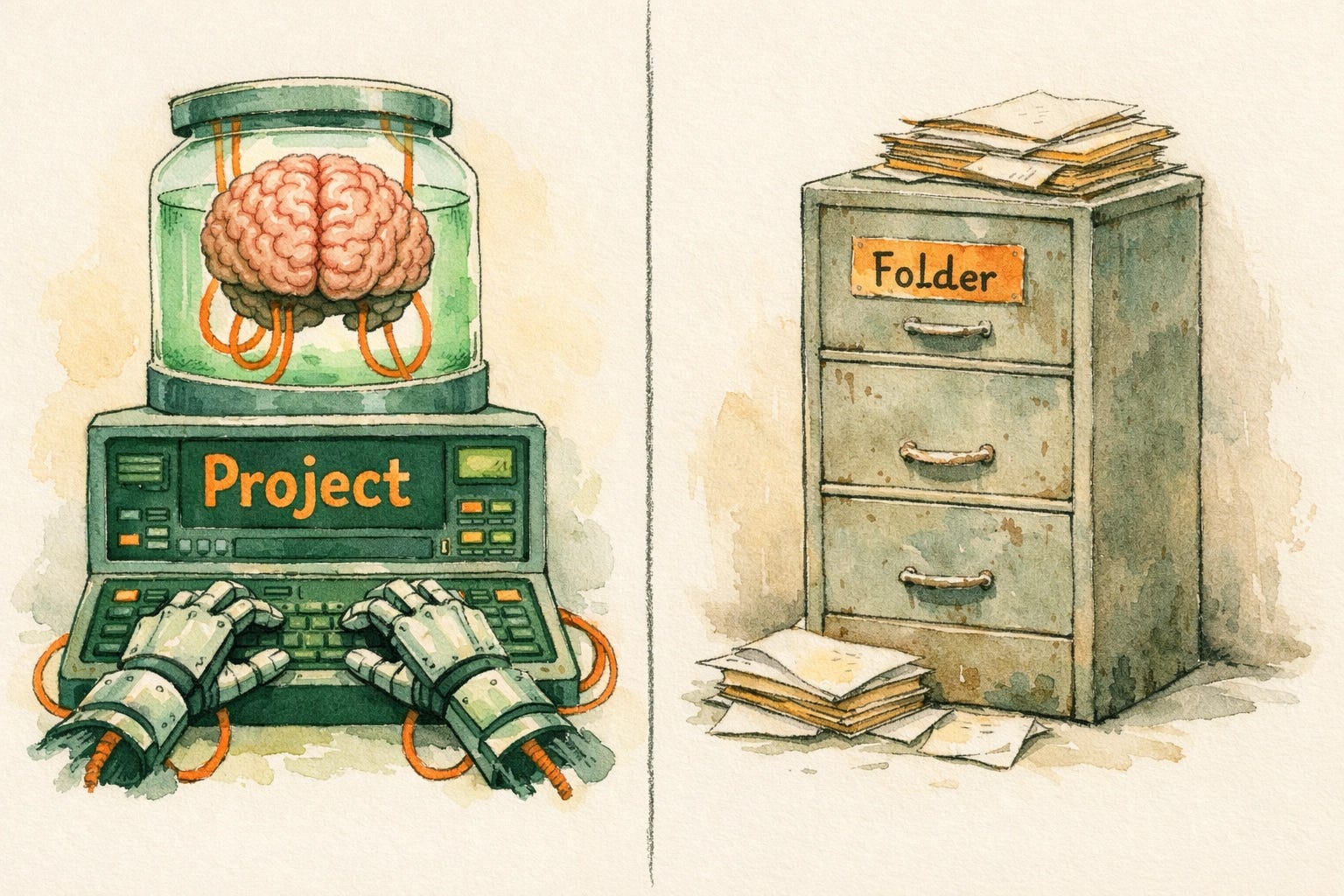
A Folder is just file access. You pick a directory, Claude can read/write inside it, and maybe you drop a claude.md file in there for basic instructions. But the moment the task ends, the context evaporates. The folder doesn't "know" anything; it just holds things.
A Skill is a process manual. It's a set of instructions that teaches Claude how to do a specific workflow, like mastering OpenClaw workflows or drafting newsletters. Skills work anywhere, but they don't have a permanent home.
A Project is the entire office. It wraps a base folder with scoped memory, custom instructions, scheduled tasks, and full conversation history. When you come back to a Project tomorrow, the Brain in a Jar picks up exactly where it left off.
Feature Comparison
Folder (Static): No logic, local files only, no automation. Think: filing cabinet.
Skill (Process): Temporary logic, instruction-based, manual trigger. Think: process manual.
Project (Operating System): Persistent & scoped logic, files + chat history + memory, scheduled tasks. Think: dedicated office / command center.
The End of Memory Bleed
In previous iterations of AI technology trends, we dealt with "Goldfish Memory." You can read more about why your AI has the memory of a goldfish here, but the TL;DR is that context windows are expensive and fragile.
Projects introduce "Scoped Memory." What the Brain in a Jar learns in your "YouTube Production" project stays there. It doesn't leak into your "Accounting" project.
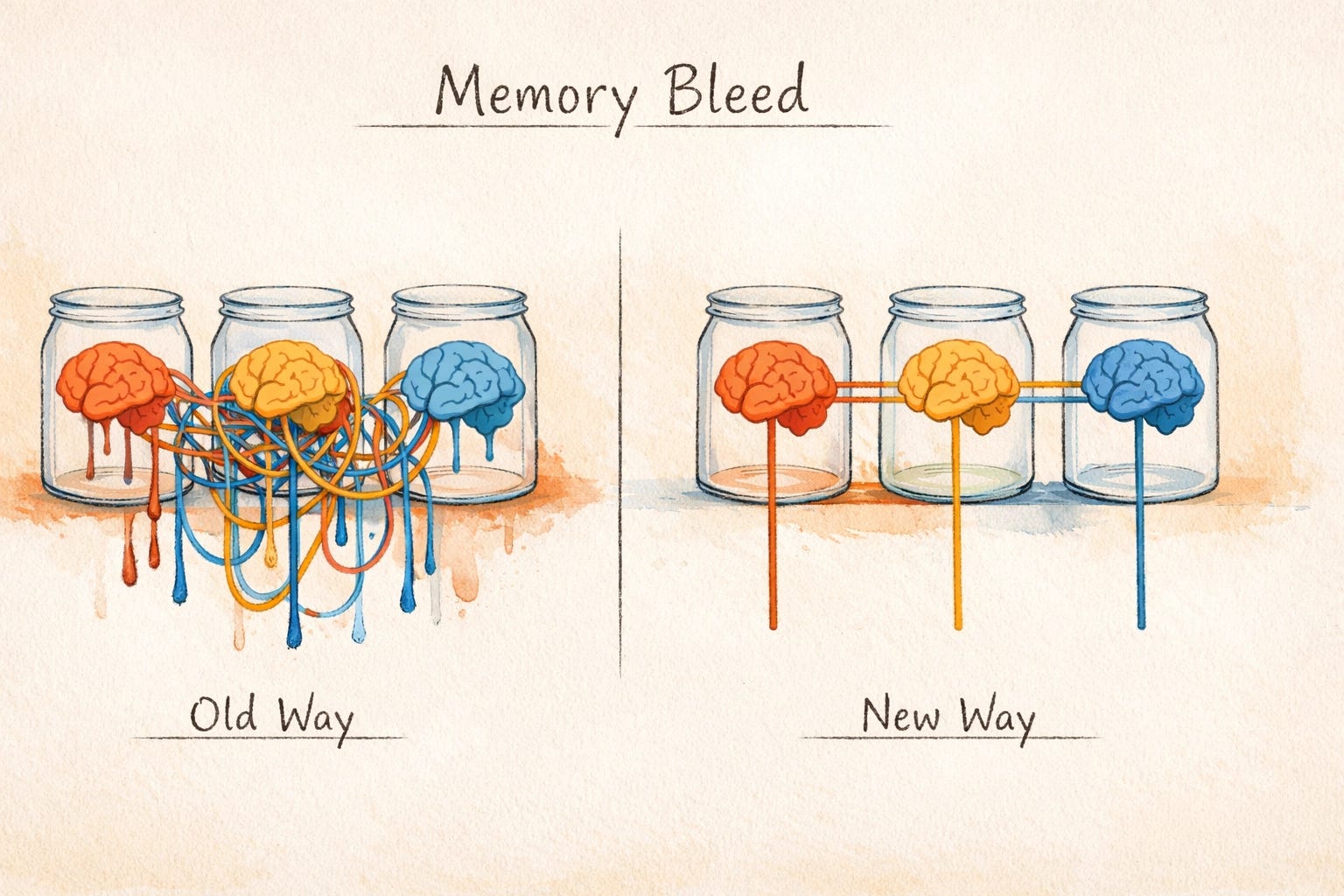
This isolation is what turns a chatbot into a Real Business OS. You can now have specialized "Employees" (Projects) that have deep, siloed expertise in one area of your business without getting distracted by the noise of the others.
The Migration Guide: Building Your New OS
If you've been using Cowork for a while, you likely have folders with claude.md files and a bunch of conversation history. You shouldn't just delete it all. You need a transition plan. Here is how I migrated my entire setup in about 45 minutes.
Step 1: Audit Your Domains
Don't create 15 Projects today. Start with the areas where you spend 80% of your time. For most of you, this will be:
Content Engine (Newsletter, Social, YouTube)
Operations/Finance (Invoicing, Reporting)
Core Product/Client Work
Step 2: Create Your "Command Centers"
In Cowork, hit the + button in the Projects tab. Use the "Existing Folder" option. This is the fastest way to bridge your old static storage with your new intelligent workspace.
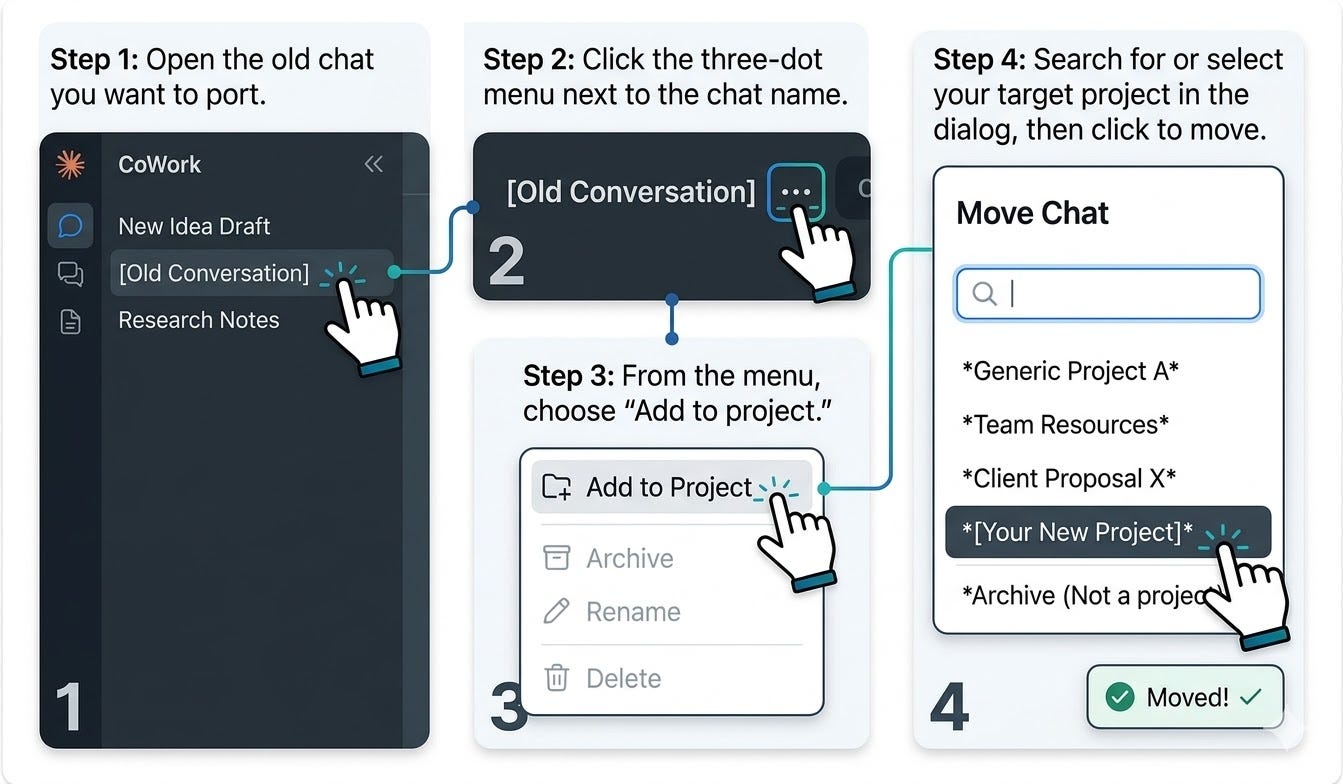
Pro Tip: You can move existing conversations into your new Projects. Open any old chat, click the dropdown arrow next to the chat name at the top, select "Move to project," and pick your target Project. This is the fastest way to preserve context you have already built without starting from scratch.
Step 3: Transfer the "Logic"
Your old claude.md files are tactical. Your Project Instructions are strategic. Copy your claude.md content into the Project Instructions field, but re-frame them. Tell the Brain in a Jar who it is in the context of this project.
Old Way: "Always format tables with these headers."
New Project Way: "You are the Lead Creative Director for my YouTube channel. Your goal is to maximize retention using the specific brand voice found in the 'StyleGuide.pdf' attached to this project."
Step 4: Seed the Memory
Memory starts fresh. To get the Brain up to speed, I recommend re-running 3-5 of your most common workflows. This "seeds" the project memory with your preferences. If you skip this, you'll spend the first week feeling like you're talking to a stranger again.
Step 5: Delegate with Scheduled Tasks
This is the "Robotic Hands" part of the equation. Inside your Project, click "Schedule." Set up your recurring tasks:
Daily: Competitor scans or inbox triage.
Weekly: Performance reports or newsletter drafting.
These tasks now live inside the project. They aren't just floating in your general Cowork list; they are tied to the specific Brain that has the context to execute them.
Current limitation: Scheduled tasks cannot be moved between Projects yet. If you have existing scheduled tasks in general Cowork, you will need to recreate them manually inside your new Project and delete the originals. Open the old task, copy its name, prompt, cadence, and output settings, then rebuild it in the target Project's Schedule tab.
Where This Goes Next (The Agent OS Prediction)
Anthropic is moving at a pace that is frankly terrifying for companies built on top of simple GPT-wrappers. By releasing Projects 24 hours after Channels, they've signaled that they aren't just building a model; they are building the Agent OS.
Currently, Projects are desktop-only and single-user. But that "yet" is doing a lot of heavy lifting in their documentation. Within the next six months, I expect to see:
Team Projects: Shared memory across your entire organization.
Project Marketplaces: Imagine downloading a "Real Estate Lead Gen" project that comes pre-configured with the folders, skills, and logic already inside.
Always-On Background Agents: Your Projects will run while your computer is closed, communicating via Claude Channels and Dispatch.
Stop Renting, Start Building
If you're serious about AI for small business, you need to stop thinking about "tools" and start thinking about "architecture."
Every SaaS subscription you add is another siloed box where your data and logic live. By moving your workflows into Claude Cowork Projects, you are reclaiming that logic. You are building an asset that gets smarter every time you use it.
The era of starting every chat with "Hi, here is who I am and what I need" is officially over. The Brain is in the Jar. The Robotic Hands are ready. It's time to start building your OS.
If you want to stay ahead of the curve on AI thought leadership and see exactly how we're deploying these tools in the field, subscribe to Artificially Intimidating. We don't just talk about the future; we build the labs where it happens.